
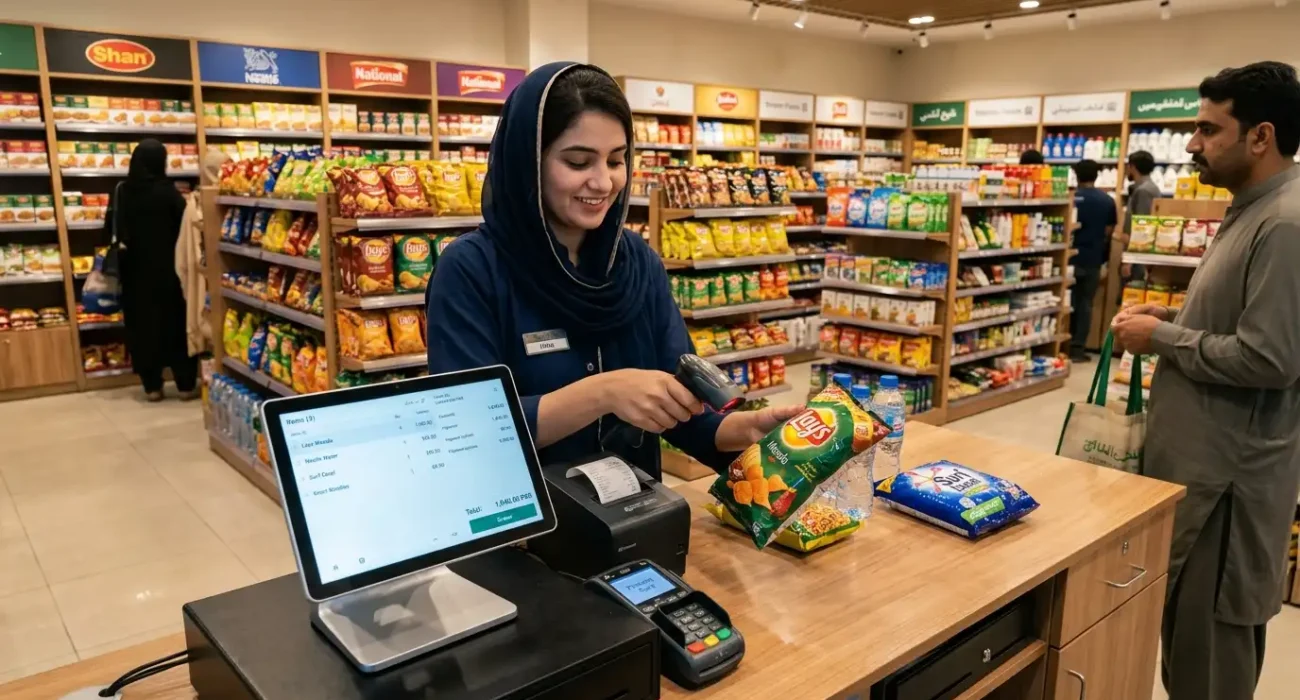
If you’ve ever walked into a grocery store and watched the cashier scan items, calculate the total, and print a receipt in under a minute — you’ve seen a POS system in action.
But if someone asks you what is a POS system beyond that basic description, the answer is much bigger than a receipt machine. A modern POS system tracks your inventory, stores customer records, generates detailed sales reports, and in many setups, keeps your physical store and online shop perfectly in sync — all from one dashboard.
In this guide, we’ll explain exactly what is a POS system, how it works step by step, the types available, and why thousands of retailers, pharmacies, and grocery stores across Pakistan are switching to cloud-based POS systems today.
What Is a POS System?
A POS system — short for Point of Sale system — is a combination of software and hardware that allows businesses to process sales transactions, manage inventory, track customers, and generate business reports from one centralised platform.
So what is a POS system in simple terms? It’s the complete setup that handles everything that happens the moment a customer buys something from your store — whether that sale happens at the counter or through your online shop.
Traditional cash registers could only record payments. A POS system goes several steps further: it updates your stock automatically after every sale, gives you a clear view of daily earnings, and keeps all your business data organised in one place.
Square, one of the world’s leading POS providers, explains that how a POS system works comes down to a simple cycle — scan, calculate, pay, and update inventory — all happening in seconds.
How Does a POS System Work?
Understanding how a POS system works is straightforward once you break it into steps. Here’s what happens every time a sale is made:
Step 1 — Item Scanning or Selection
The cashier scans the product barcode using a barcode scanner, or manually selects the item from the POS software interface. The system instantly pulls up the product name, price, and available stock.
Step 2 — Price Calculation and Discount Application
The POS software automatically calculates the total amount, applies any active discounts, promotional prices, or tax rates. There’s no manual calculation involved — the system handles it all accurately.
Step 3 — Payment Processing
The customer pays via cash, card, or digital payment. The POS system records the payment method and confirms the transaction. Some systems support multiple payment options simultaneously.
Step 4 — Receipt Generation
A digital or printed receipt is generated automatically. The receipt includes item details, total amount, payment method, and transaction timestamp — giving both the business and customer a clear record.
Step 5 — Inventory Auto-Update
This is where a POS system truly stands apart from a basic cash register. The moment a sale is completed, the system deducts the sold quantity from your stock automatically. If you’re running an online store alongside your physical shop, the inventory syncs across both channels in real time.
Main Components of a POS System
A complete POS system consists of both software and hardware components working together.
POS Software
The software is the brain of the system. It manages products, processes transactions, generates reports, handles customer records, and — in modern cloud-based systems — keeps everything accessible from any device with an internet connection.
Barcode Scanner
Used to scan product barcodes at the point of sale. Fast, accurate, and eliminates manual data entry errors.
Receipt Printer
Generates physical receipts for customers after each transaction. Most modern POS setups support both thermal printers for quick receipt printing and digital receipt options.
Cash Drawer
Connects directly to the POS system and opens automatically when a cash transaction is completed. All cash is recorded and tracked through the software.
Payment Terminal or Card Reader
Handles card payments, contactless payments, and in some setups, mobile wallet transactions. Integrated payment terminals communicate directly with the POS software.
Types of POS Systems
Not every business needs the same type of POS system. Here are the main types currently available:
Cloud-Based POS System
A cloud-based POS system stores all your data online rather than on a local server. This means you can access your sales reports, inventory levels, and customer records from anywhere — your phone, laptop, or tablet. It’s the most popular choice for growing businesses because updates happen automatically, and there’s no expensive hardware maintenance involved.
Desktop POS System
Installed on a dedicated computer or terminal at a fixed location. Suitable for businesses with a single checkout counter. Some desktop systems work offline, which can be useful in areas with unreliable internet.
Mobile POS System
Runs on a smartphone or tablet and is ideal for businesses that need flexibility — food trucks, pop-up stores, outdoor markets, and delivery-based operations. A mobile POS system turns any device into a fully functional checkout counter.
Tablet POS System
A middle ground between desktop and mobile. Tablet POS systems are commonly used in retail stores and restaurants where staff move around but still need a stable interface. They’re easy to use and cost-effective to set up.
Benefits of Using a POS System for Your Business
Switching from a manual system or basic cash register to a proper POS system changes how your business operates — for the better. Here are the key benefits:
- Faster checkout: Transactions are processed in seconds, reducing queues and improving the customer experience.
- Accurate inventory tracking: Every sale automatically updates your stock levels, so you always know what you have and what needs to be reordered.
- Detailed sales reports: Get a clear picture of your daily, weekly, and monthly earnings without manually compiling data from receipts.
- Reduced human error: Automatic calculations eliminate mistakes that commonly occur with manual billing.
- Customer record management: Track purchase history, identify repeat customers, and offer personalised service.
- Multi-branch visibility: If you run more than one location, a cloud-based POS system lets you monitor all branches from one dashboard.
- Online and offline sync: For businesses with an ecommerce store, a POS system keeps both channels updated in real time — preventing overselling and stock discrepancies.
POS System vs Traditional Cash Register
Many small business owners in Pakistan still rely on manual registers or basic billing software. Here’s a direct comparison:
| Feature | Traditional Cash Register | POS System |
|---|---|---|
| Inventory tracking | ❌ Manual | ✅ Automatic |
| Sales reports | ❌ Not available | ✅ Real-time reports |
| Customer records | ❌ Not stored | ✅ Maintained automatically |
| Multi-branch support | ❌ Not possible | ✅ Yes, from one dashboard |
| Ecommerce integration | ❌ Not available | ✅ Full sync available |
| Discount management | ❌ Manual | ✅ Automated |
| Barcode scanning | ❌ Manual entry | ✅ Fast barcode scanning |
| Access from anywhere | ❌ Fixed location | ✅ Cloud access anytime |
The difference is significant. A traditional cash register handles payments. A POS system manages your entire business operation.
Who Needs a POS System?
A POS system is not just for large retailers. Any business that sells products or services regularly can benefit from knowing what is a POS system and how it can simplify daily operations. In Pakistan, the most common use cases include:
Retail Stores — Manage stock across dozens or hundreds of SKUs, process sales quickly, and track daily earnings without manual effort.
Pharmacies — Track medication inventory, manage expiry dates, and maintain customer purchase records with a medical POS system designed for healthcare retail.
Grocery Stores — Handle high transaction volumes, manage perishable stock, and keep track of supplier purchases with a dedicated grocery store POS system.
Restaurants and Cafes — Process table orders, manage menu items, handle takeaway and delivery orders, and monitor kitchen operations from one system.
Garment and Clothing Shops — Manage product variations like sizes and colours, track stock per SKU, and handle customer returns seamlessly.
How to Choose the Right POS System in Pakistan
Once you understand what is a POS system and what it can do, the next step is choosing the right one for your business. Here are the key factors to consider:
1. Cloud-based vs offline: A cloud-based POS system gives you access to your data from anywhere and syncs automatically. It’s the better choice for most businesses unless you operate in an area with very limited internet access.
2. Ecommerce integration: If you sell — or plan to sell — online alongside your physical store, choose a POS system that offers real-time inventory sync between both channels. Managing two separate systems creates errors and wastes time.
3. Scalability: Your POS system should grow with your business. Whether you’re opening a second branch or adding new product lines, the system should handle expansion without requiring a complete overhaul.
4. Local support: For businesses in Pakistan, having access to local support and onboarding assistance matters. Choose a provider that understands the local market and offers responsive customer service.
POS Cart is a cloud-based POS and ecommerce platform built specifically for retailers, pharmacies, grocery stores, and growing businesses in Pakistan. It combines point-of-sale, inventory management, customer tracking, and online selling into one easy-to-use dashboard — with plans starting from PKR 2,999 per month.
Explore POS Cart features or get a quote for your business today.
Frequently Asked Questions
What is a POS system used for?
A POS system is used to process sales transactions, track inventory, manage customer records, and generate business reports. Modern POS systems also integrate with online stores to sync stock and orders in real time.
What is a POS system in simple terms?
In simple terms, what is a POS system is a software and hardware setup that replaces your cash register — processing payments, tracking stock automatically, and giving you complete visibility into your business from one screen.
How much does a POS system cost in Pakistan?
POS system pricing in Pakistan varies depending on features and the number of users. Entry-level plans start from around PKR 2,999 per month for basic POS functionality, while full POS and ecommerce plans are available at higher tiers based on business size.
Can a small business use a POS system?
Absolutely. POS systems are available in plans designed specifically for small businesses, including single-store retailers, grocery shops, and pharmacies. They eliminate manual errors, speed up checkout, and provide reports that help small business owners make better decisions.
What is the difference between POS software and a POS system?
POS software is the application that manages sales, inventory, and reports. A POS system is the complete setup — including the software along with hardware like a barcode scanner, receipt printer, cash drawer, and payment terminal.
Is a cloud-based POS system better than an offline one?
For most businesses, yes. A cloud-based POS system allows you to access your data from anywhere, receive automatic updates, and sync your physical and online store without manual effort. Offline systems may be suitable in locations with very limited internet access, but they lack the flexibility and scalability of cloud-based solutions.